Cash Flow
Profit is an opinion about a period; cash is a fact about a Friday. This hub answers the only question that matters first — which cash view to build, in what order, and with what.
Pages in this hub
- Cash Flow Forecast Template: Build a 12-Month Forecast That Matches Reality — 880 searches/month, LOW ad competition
- Cash Flow Forecast Template Excel: Structure That Does Not Break on Row 400 — 480 searches/month, LOW ad competition
- 13 Week Cash Flow Template: The Weekly Forecast for Tight Cash — 90 searches/month, LOW ad competition
What this hub answers, and what it does not
Every page here starts from the same equation — opening balance plus money in minus money out equals closing balance — and differs only in resolution and in the tool it is built in. The hub does not try to cover financing, valuation or accounting standards; it covers the practical question of whether the account will hold enough money in the weeks and months ahead, and what to do about it in a spreadsheet.
The three pages map to three situations:
- You need a twelve-month plan to see whether a hire, a lease or a purchase is affordable — start with the cash flow forecast template page. It covers what a forecast actually forecasts, direct versus indirect method, and how to keep a plan-versus-actual column honest.
- You have chosen Excel and care about structure — the Excel build page is the mechanics: tables instead of ranges, chained opening balances, protected formulas, and the specific things that break when the file is imported into Google Sheets.
- Cash is tight right now — go straight to the 13-week weekly forecast. Monthly averages hide the dangerous week; weekly buckets with named counterparties do not.
Free template or paid workbook: an honest comparison
The measured search results behind these pages are dominated by free cash flow templates from banks, accounting vendors and spreadsheet suites. That is a fair place to start, and for many businesses it is genuinely enough. What free files do well: a clean monthly grid, sensible category names, zero cost, five minutes to download.
What they consistently lack, based on the same review of the results: an actual column that gets filled, any link to your bookkeeping, weekly resolution for the near term, and separate treatment of tax money that sits in the account but is not yours. None of those gaps matter while the business is comfortable. All of them matter in the quarter when a client pays late.
So the honest split is this. If you need a one-off twelve-month picture and you will maintain the actuals yourself, take a free template and spend your time on discipline instead. If you want the forecast wired to a journal and an invoice register, so receivables and cash come from the same source rather than from memory, a paid workbook is the cheaper option — not because the file is better, but because the connection is what saves the hours.
The order I would do it in
- Read the definition once. Cash flow is timing, not profit. Until that is clear, every template misleads.
- Build the weekly view if cash is tight, otherwise the monthly one. Do not build both on the same day.
- Put receivables and payables behind it. A forecast without named inflows and dated outflows is an average with a chart.
- Set an update rhythm — same day each week or month — and a safety floor that turns red before it is too late.
- Only then buy or build more. A better template does not fix a forecast nobody updates.
What to take ready-made
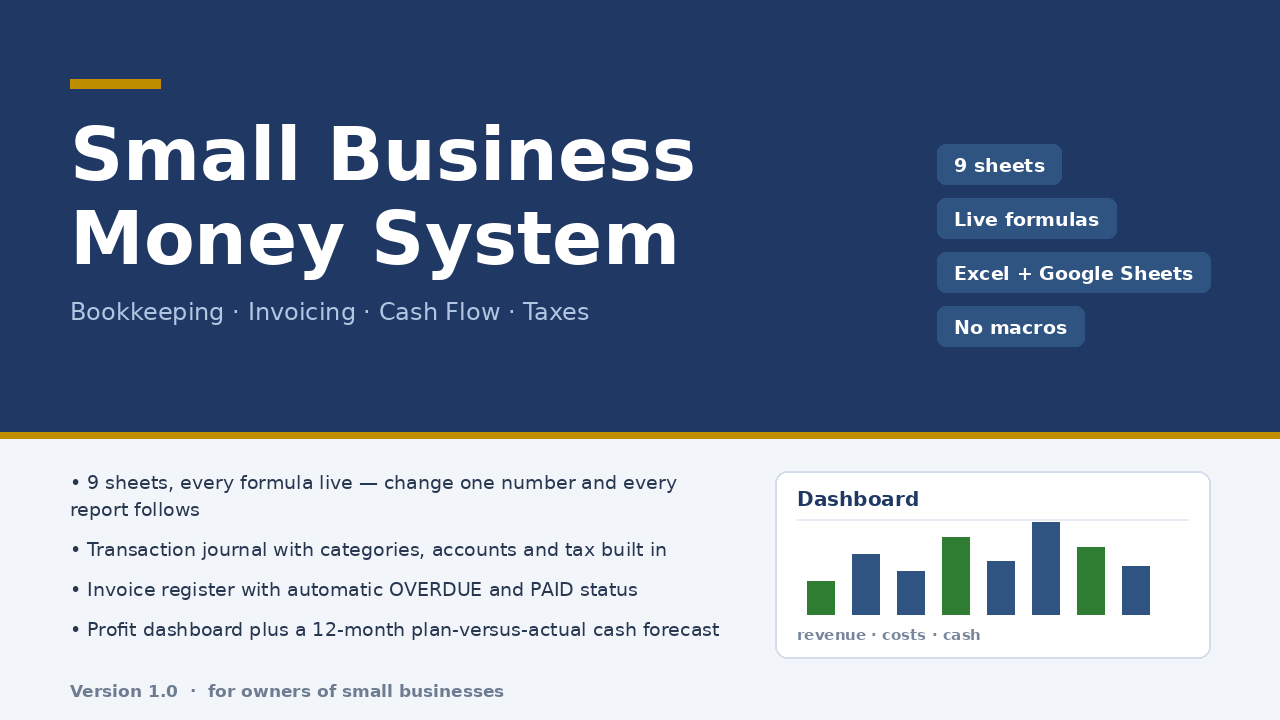
If you want the cash view and the books in one file, Micro-Business Money System does that: a 300-row journal as the single place money enters, a 60-row invoice register with status and days overdue by formula, a dashboard with profit, margin, cash on hand, receivables and payables, and a 12-month cash flow plan versus actual. Nine sheets, live formulas, no macros, ten minutes of setup, $47 once.
Honest limits: the cash flow sheet is monthly, not weekly; there is no bank connection and no multi-currency; the tax sheet is an estimate at your own rate. Verified with 22 structural checks and 85 number reconciliations against an independent model, zero discrepancies, but not opened in a desktop Excel during checking, and dropdowns should be re-checked after importing into Google Sheets.
Read the full description — $47 once
On Getly the workbook is in the shop ZRN Tools — Small Business Spreadsheets; the listing is still in the marketplace’s review queue, so its own page is not public yet — this block becomes the direct purchase link as soon as it is approved.